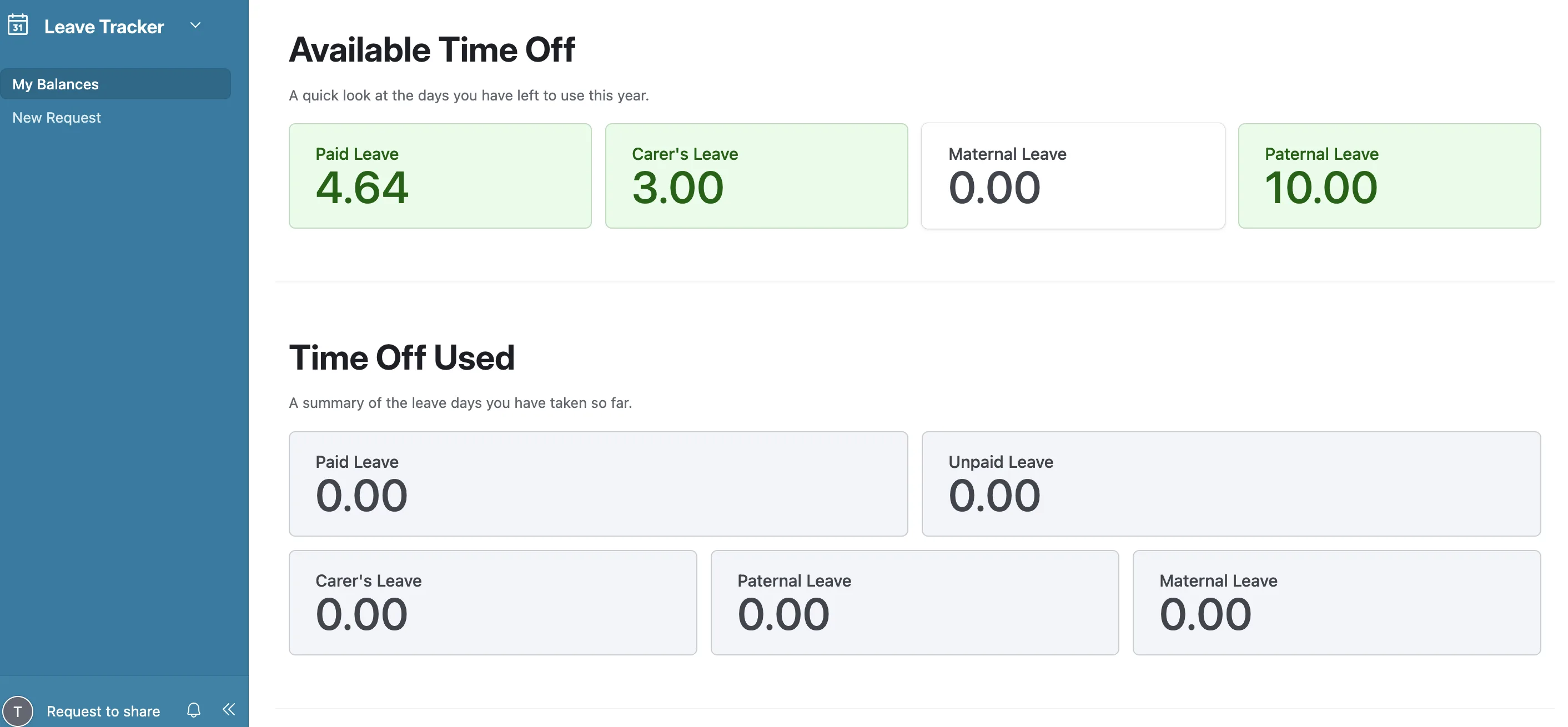
Tracking who's off and when used to live in a public form and a scatter of Slack DMs — easy to lose, impossible to trust, and open to anyone with the link. So I rebuilt it as an Employee Leave Portal where Airtable is both the database and the interface: people log in, request time off, and see their own balances in a personalized portal, while approvals, balance math, calendar sync, and Slack + email notifications all happen automatically behind it. No server to babysit.
It now covers ~40 people across several teams (engineering, content, management) and multiple business units, each with their own leave policy.
Why Airtable instead of a real backend
For a tool one company runs internally, a full backend is overkill. Airtable gives me a typed data store, Interfaces for a real logged-in UI, linked records, rollups, and built-in automations — so I could spend my time on the flow and the policy math, not on CRUD plumbing, auth, and hosting.
The data model
Three linked tables do the work. Everyone is a row in Employees; every request is a row in Leave Records; Leave Balances rolls those up per person so the numbers are never hand-maintained.
| Table | What it stores |
|---|---|
| Employees | the person — name, role, team, business unit, employment type, Slack ID, join date |
| Leave Records | one row per request — type, dates, duration, days deducted, status, approver, attachment |
| Leave Balances | per-person rollup — accrual, carry-over, taken, and remaining per leave type |
Employees
The directory and the link hub. Each row carries the person's Slack ID (the key that lets automations DM them and tag the right approver), their team and business unit (which decides their leave policy), employment type (full-time / casual / trial), and links out to their records and balance.
Leave Records
The transactional log — the source of truth. Key fields:
- Leave Type —
Paid·Unpaid·Sick·Carer's·Maternal·Paternal - Duration —
Full Day·Half Day AM·Half Day PM(half-days deduct0.5) - Days Deducted — computed from the date range, and it skips weekends so a Friday-to-Monday request only costs two days
- Status —
Pending→Approved/Rejected - Approver(s) + Approval Date — who signed off and when (often more than one manager is cc'd)
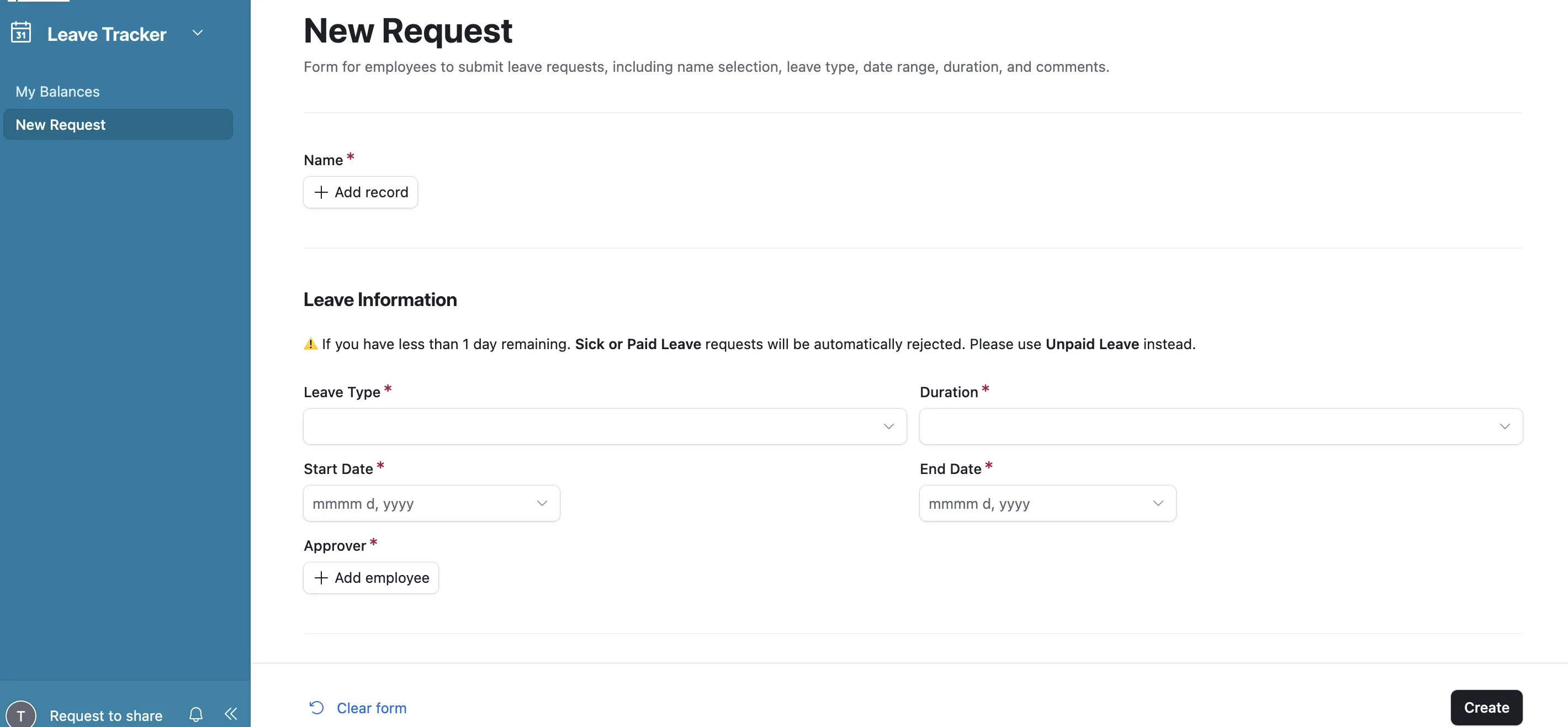
- Comments and Attachment — the reason, plus a medical certificate when one's needed
An anonymized row looks like:
| Name | Type | Dates | Duration | Days | Status |
|---|---|---|---|---|---|
| A. Dev | Paid | Mar 20 – Mar 20 | Full Day | 1.00 | ✅ Approved |
| B. Editor | Sick | Apr 22 PM | Half Day PM | 0.50 | ✅ Approved |
| C. Writer | Unpaid | Jun 11 – Jun 12 | Full Day | 2.00 | 🟡 Pending |
Leave Balances
One row per person, almost entirely computed. The policy lives here:
- Accrual Rate — days earned per month (1.00/mo in our case)
- Months in Cycle + Carry-Over → Total Accrued and Total Available
- Taken buckets per type (paid / unpaid / carer's …)
- Remaining Balance = available − paid taken, derived by rollup/formula
- Reset Date — annual reset (Jan 1); mid-year joiners get a pro-rated reset date
Because the remaining balance is a rollup off approved records, it's always right — approve a request and the number moves on its own. Separate buckets mean Carer's, Maternal, and Paternal leave each track against their own allowance instead of the annual pool.
The current version: a personalized Airtable portal
The interface is an Airtable Interface — a real, logged-in portal. Employees don't touch the base; they touch a view that's filtered down to only them.
  Portal login ──▶ submit request ──▶ Leave Record created (Pending)
                                            │
                                            ▼
                            manager reviews in their portal view
                               [ Approve ]      [ Reject ]
                                            │
                          ┌─────────────────┴──────────────────┐
                          ▼                                    ▼
                    status: Approved                      status: Rejected
                          │                                    │
                          ▼                                    ▼
                 • balance recalculates              • requester notified
                 • Slack + email sent                • reason captured
                 • added to shared calendar
                 • posted to team channel
The portal (interface) is the only surface anyone uses. Everything after the tap is wired through Airtable automations:
- Personalized request + history — a logged-in employee sees their own balances and past requests, and submits new ones from the portal.
- Approve in the portal — the right manager (resolved from the employee's team) reviews and approves from their own interface view.
- Balances auto-update — approval triggers the rollup, so remaining days are correct instantly.
- Calendar sync — approved leave is pushed to a shared team calendar so everyone can see who's out.
- Slack + email notifications — the requester gets confirmed in Slack and by email; the team channel gets a heads-up.
That's the part I'm happiest with: one event (an approval) fans out to the balance, the calendar, Slack, and email without anyone copying anything by hand.
Why we rebuilt it
The previous version was a public form — functional, but with real problems. The new portal replaces it for four concrete reasons:
- Improved security. The old form was accessible to anyone with the link. The portal is invite-only and requires a secure member login.
- Guaranteed accuracy. Before, users picked their name from a list of every employee — and sometimes picked the wrong one. The login removes that step entirely: the system already knows who you are.
- Personalized experience. Because it's authenticated, the portal automatically filters to your data — your balances, your history — with nothing to select.
- Total data privacy. Built on Airtable Interfaces, employees see only their own balances and requests. Zero access to the master database or to colleagues' data.
Net effect: one source of truth, approvals in seconds, balances that are always correct, a calendar the whole team can see — and a front door that's private by design.
What I'd build next
A couple of rough edges I'd file down:
- Public-holiday awareness per region. The team spans multiple countries — the deduction logic already skips weekends, but holidays should be data too, not tribal knowledge.
- Richer manager reporting. A roll-up view of upcoming leave and remaining balances across a team, so planning doesn't mean reading rows.
The portal does its job, but the lesson that stuck: with linked records and rollups, the database can enforce the policy — my job was mostly modelling it correctly and letting one logged-in surface be the only thing anyone has to touch.